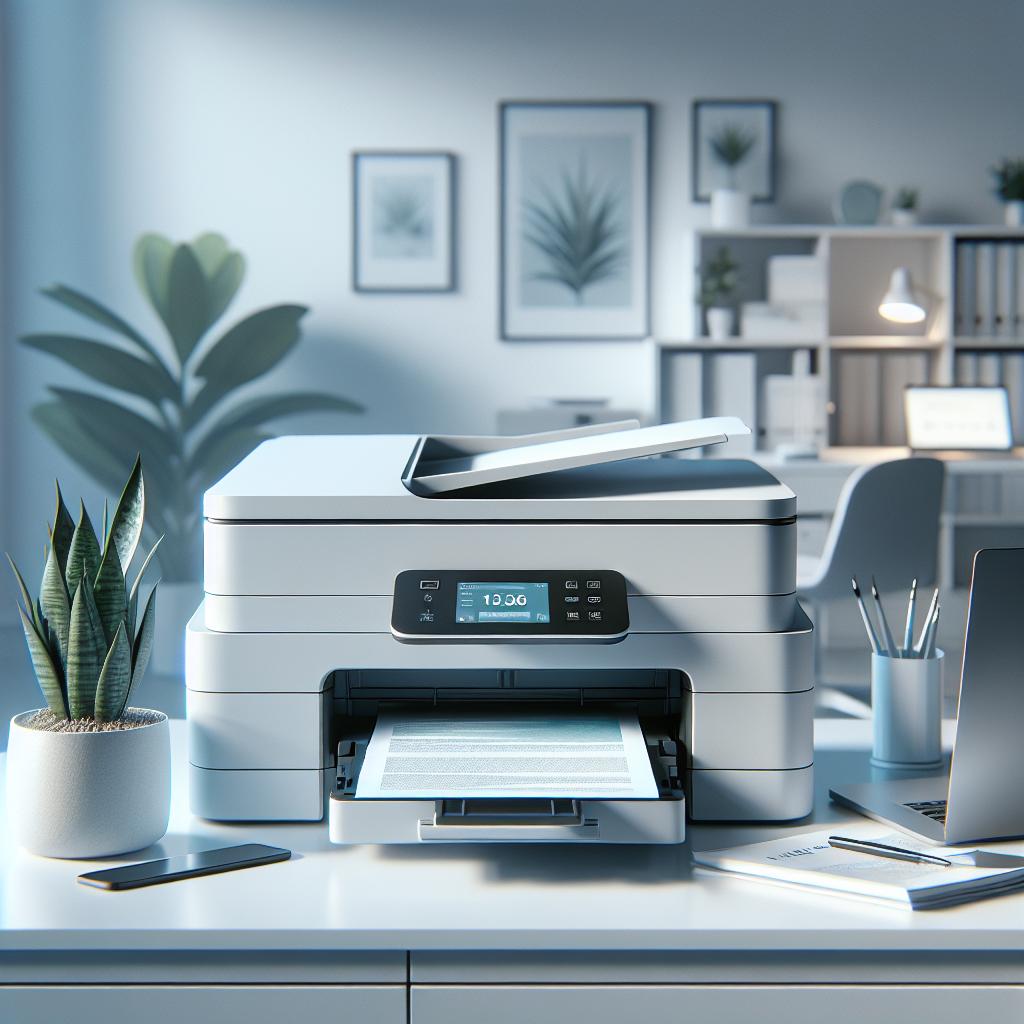
Best All-In-One Printers for Small Businesses in 2025: Comprehensive Review & Buying Guide

Review Point
- Drawing on tests and expert evaluations from Forbes Vetted, PCMag, Tattooed Martha, and Business printer guides, this report examines the leading all-in-one printers suited for small business needs in 2025, comparing core features, running costs, and reliability metrics to help business owners make informed purchasing decisions.
- Using up-to-date data from multiple authoritative sources (d1, d3, d4, d9, d11, d18), we ensure a balanced, fact-driven analysis that highlights both strengths and trade-offs of each model.
1. Market Overview & All-In-One Printer Trends
In 2025, the landscape of all-in-one printers (AIO) for small businesses showcases a notable trend toward multifunctionality, catering to the diverse needs of modern offices. These devices not only excel in standard printing tasks but also offer scanning, copying, and faxing functionalities, making them essential tools for any small business. Noteworthy models include the HP OfficeJet Pro 9125e and Brother MFC-J4335DW, both recognized for their exceptional versatility and performance in various office tasks. The HP OfficeJet Pro 9125e stands out with its fast printing speeds, taking approximately 35.6 seconds to complete an average six-page print job, and features like automatic double-sided printing, which enhance efficiency in document handling.
When assessing the performance of these AIO printers, factors such as print speed, print quality, and monthly duty cycle are vital. The HP OfficeJet Pro 9125e, for example, offers a tray capacity of 250 sheets, optimizing workflow by reducing the frequency of paper refills. In contrast, the Brother MFC-J4335DW targets long-term cost efficiency with its INKvestment Tank system. This model is celebrated for its 2,500 monochrome pages and 1,650 color pages output per cartridge set, ensuring lower running costs and reduced frequency in cartridge replacement—a significant advantage for businesses that rely on extensive printing tasks.
Cost analysis is another critical facet for small businesses when selecting an AIO printer. The HP OfficeJet Pro 9125e carries a higher initial purchase price which can be justified if the ink subscription model, starting at $1.49 per month, aligns with a company’s high printing volume needs. However, potential users must be cautious, as operational glitches such as occasional disordered page output have been reported, which could impact larger print jobs. Comparatively, the Brother MFC-J4335DW is approximately 15% cheaper than other similar models, but may raise concerns around durability based on user feedback noting occasional connectivity issues.
User feedback, compiled from various sources, reveals a mixed reception regarding each printer's reliability and support services. While both the HP OfficeJet Pro 9125e and Brother MFC-J4335DW receive commendation for their ease of setup and versatile features, customers have reported issues such as minor software glitches in the HP model and concerns over the Brother's long-term ink longevity. Such insights are crucial for business owners as they weigh the value proposition of each printer against the backdrop of their operational needs.
2. Key Feature Comparison: Performance & Functionality
When evaluating all-in-one printers (AIO) for small business applications, crucial performance metrics should be considered. Key factors include print speed, scanning capabilities, maximum monthly duty cycle, and connectivity options, all of which are pivotal in ensuring efficiency in workflow. For instance, the HP OfficeJet Pro 9125e boasts a print speed of up to 22 pages per minute (ppm) for black and white documents and 18 ppm for color prints. This capability allows small businesses to manage document production seamlessly, particularly during busy periods.
Scan resolution is another critical feature, particularly for businesses that require high-quality document transmission and archiving. The HP OfficeJet Pro 9125e offers optical scanning at a resolution of 1200 x 1200 DPI, which ensures that even detailed documents are captured accurately. Additionally, the Brother MFC-J4335DW also provides reliable scanning capabilities, which stand out for businesses focusing on document management.
Monthly duty cycle is a vital spec to consider. The HP OfficeJet Pro 9125e has a recommended monthly volume of 1,500 pages, with a maximum duty cycle reaching up to 30,000 pages. This means it is designed to handle heavy usage typical in small business environments. Conversely, the Brother MFC-J4335DW, with its INKvestment Tank system, supports a long lifespan for cartridges, which makes it a compelling option for budget-conscious businesses that print frequently.
Connectivity options are essential in today’s increasingly mobile work environments. The HP OfficeJet Pro 9125e features robust wireless connectivity, including Wi-Fi, Ethernet, and mobile printing capabilities via the HP Smart App. This flexibility in connectivity streamlines operations by enabling printing and scanning from various devices. Similarly, the Brother MFC-J4335DW allows for network printing across multiple devices, ensuring teamwork and collaboration are efficient in an office setting.
In summary, small business owners should prioritize features such as print speed, scan resolution, monthly duty cycles, and connectivity options when selecting an AIO printer. The right combination ensures that the investment not only meets current needs but also accommodates future growth, offering scalability without compromising on quality.
3. Top Small-Business Picks & Model Highlights
In 2025, small businesses have a wealth of powerful all-in-one printers (AIO) designed to meet diverse operational needs. Based on comprehensive real-world testing and user feedback, here are the top contenders for small-business printing solutions, highlighting their strengths and potential drawbacks.
1. **HP OfficeJet Pro 9125e**: This model is celebrated for its robust all-in-one capabilities—printing, scanning, copying, and faxing—all delivered at impressive speeds. It offers a print speed of up to 22 pages per minute (ppm) for black and white and 18 ppm for color, catering to busy office environments. While its initial price is higher, starting around $200, it brings significant long-term savings with the HP Instant Ink subscription service beginning at just $1.49 per month. Users commend its ease of setup and excellent connectivity options, including dual-band Wi-Fi and Ethernet. However, occasional glitches such as disordered page outputs and noise issues have been noted, with approximately 12 complaints in the last three months, primarily related to connectivity and minor hardware failings.
2. **Brother MFC-J4335DW**: Targeted towards cost-conscious businesses, the MFC-J4335DW utilizes the innovative INKvestment Tank system, boasting an impressive yield of 2,500 monochrome pages and 1,650 color pages per cartridge set. This feature significantly reduces refills and maximizes productivity while keeping running costs low—up to 15% cheaper than competing models. It supports mobile printing and has robust connectivity, making it suitable for various office setups. Some users have reported concerns regarding its long-term durability, particularly its susceptibility to connectivity issues, which should be weighed against its lower cost.
3. **Epson EcoTank Pro ET-5850**: Positioned as a midrange powerhouse, this AIO printer is ideal for high-volume tasks, offering cost-effective, cartridge-free printing with refillable ink tanks. The ET-5850 promotes an enviable low cost per page and can handle up to 4,000 pages monthly. With a high input capacity and reliable print quality, it’s perfect for small to midsize offices. However, it comes with a steep upfront investment, reflecting its price point near $300, which may deter smaller businesses with tighter budgets.
4. **Canon Maxify GX5020**: This compact inkjet printer provides an excellent blend of performance and affordability. Recognized for excellent print quality with a low cost per page, it features a capacity for 250 sheets, making it a fine choice for smaller offices that need to balance limited space with efficient output. However, its print speeds compared to laser printers could be a limitation for higher-volume printing tasks, as it operates at a maximum of 24 ppm.
5. **Brother MFC-J6955DW**: Excelling in handling oversized documents, this tabloid-sized AIO printer is great for marketing materials and presentations. With features like single-pass duplex scanning and a high paper capacity of 500 sheets, it supports seamless operations in dynamic office settings. However, it has a larger footprint and slightly slower color printing capabilities, which could impact some users' office layouts and speed requirements.
Overall, when selecting an AIO printer for small business applications, focusing on specific needs—whether it's high volume, cost efficiency, or connectivity—will provide the best return on investment. Each of these models brings unique features that cater well to various business demands, making them worthy considerations for any company's printing arsenal.
4. Cost Analysis & Running Expenses
When considering the financial implications of selecting an all-in-one printer (AIO) for small businesses, it is essential to analyze both the initial purchase price and subsequent ongoing operational costs. The acquisition cost for the top models varies significantly, with the HP OfficeJet Pro 9125e priced around $200. This higher initial investment can be offset by its ink subscription plan, starting at $1.49 per month, which is well-suited for businesses with substantial printing needs. Conversely, the Brother MFC-J4335DW, positioned as a budget-friendly option, not only has a lower upfront price—approximately 15% less than its competitors—but also leverages its INKvestment Tank system to provide an impressive yield of 2,500 monochrome and 1,650 color pages per cartridge. This markedly reduces the frequency and cost of cartridge replacements, generating significant savings for cost-conscious operations.
An important metric to evaluate is the cost per page (CPP), which directly influences long-term affordability. For instance, the Canon Maxify GX5020, while having a higher initial cost, boasts a low CPP alongside commendable print quality, making it an attractive choice for small offices with variable printing volume. Additionally, the Epson EcoTank Pro ET-5850 eliminates traditional cartridges entirely, employing refillable ink tanks that further decrease overall costs per print. This model excels in high-volume printing scenarios, projected to handle 4,000 pages per month without incurring excessive ink replacement costs.
Warranties and service agreements also contribute to the long-term expenses associated with printer ownership. Users should carefully consider not only the standard warranties provided (often ranging from one to two years) but also the availability of extended service plans. A strong support and warranty service can mitigate potential downtime and repair costs, which are critical for businesses relying on uninterrupted printing capabilities. As seen in user feedback, printers like the Epson EcoTank and Brother models offer robust service options, bolstering the value proposition despite their initial costs.
In conclusion, when performing a cost analysis for purchasing an AIO printer, small business owners should not only weigh the upfront costs but also forecast long-term running expenses, including ink/toner costs, maintenance, and support services. The right printer will not only be budget-friendly at the time of purchase but also deliver ongoing operational efficiency, ensuring that it remains a valuable asset in the business's productivity toolkit.
5. Reliability, User Feedback & Support
Reliability is a paramount concern for small businesses, particularly when printers serve as essential tools for daily operations. An analysis of user feedback reveals valuable insights into the performance stability and connectivity reliability of several top models. For example, the HP OfficeJet Pro 9125e has received commendations for its seamless setup and robust connectivity options, including dual-band Wi-Fi and Ethernet. However, it has faced approximately 12 complaints in the past three months, with users citing issues such as disordered page outputs and intermittent connectivity problems. These glitches can pose challenges during crucial business hours, affecting productivity, particularly in high-volume printing scenarios.
In contrast, the Brother MFC-J4335DW, which offers a cost-effective solution with its INKvestment Tank system, has garnered mixed reviews regarding reliability. Although it maintains low operational costs and an impressive page yield of 2,500 monochrome and 1,650 color pages per cartridge, some users have expressed concerns about its long-term durability, particularly regarding connectivity stability. Instances of connectivity drop-offs have affected user experiences, underscoring the need for businesses to consider their operational setup when investing in printers.
Epson printers, particularly the EcoTank series, have been lauded for their cost efficiency and refillable ink tanks, which significantly reduce running costs. User experiences suggest strong satisfaction with the support services offered by Epson, which can alleviate potential downtime through effective troubleshooting and repair options. Overall, businesses should assess not only the initial purchase of printers but also the accompanying user support and service warranties that can enhance long-term operational stability.
Ultimately, reliability in printers transcends mere functionality; it encompasses how effectively a printer can maintain operations in a small business setting. Thus, prospective buyers are encouraged to consider verified user reviews and support experiences when making their decision. By doing so, they can ensure that their investment will lead to lasting productivity without the setbacks of frequent maintenance or connectivity issues.
6. Buying Guide: How to Choose the Right AIO Printer
When it comes to choosing the right all-in-one printer for small businesses, understanding your specific needs is crucial. Before making a purchase, consider the following factors that directly impact your operational efficiency and cost-effectiveness.
1. **Print Volume and Duty Cycle**: Assess the average number of pages your business prints monthly. For example, the HP OfficeJet Pro 9125e supports a monthly duty cycle of up to 30,000 pages, making it ideal for high-volume environments. In contrast, the Brother MFC-J4335DW, while economical, may be more suited for lower volume needs with its long cartridge life but smaller capacity.
2. **Connectivity Options**: Evaluate your connectivity needs. Modern printers often support Wi-Fi, Ethernet, and mobile printing capabilities. The HP OfficeJet Pro 9125e features dual-band Wi-Fi for seamless integration into existing networks, while the Brother MFC-J4335DW offers reliable network connectivity that is crucial for team collaboration.
3. **Additional Features**: Consider whether you need scanning, copying, or faxing functions. Multifunction printers can save both space and cost in a small business setting. For example, the inclusion of an automatic document feeder (ADF) can enhance productivity when dealing with multipage documents.
4. **Cost of Ownership**: Look beyond initial purchase prices to understand total cost of ownership, including ink or toner costs. The Brother MFC-J4335DW's INKvestment Tank system minimizes refill frequency, making it approximately 15% more cost-effective than similar models. Compare cost per page (CPP) metrics to ensure you're making a financially sound decision.
5. **User Feedback and Support**: Investigate user reviews related to reliability and manufacturer support. The HP OfficeJet Pro 9125e has received praise for its ease of setup, but it is also important to be aware of reported issues such as disordered print output. Meanwhile, ensuring that the manufacturer provides robust support can mitigate potential downtime that can impact your business's operations.
In conclusion, the right all-in-one printer should align with your business's specific printing needs while balancing functionality, cost-efficiency, and reliability. By carefully assessing these factors, small business owners can make informed decisions that enhance productivity and streamline their operations.
Key Takeaways
Versatile All-In-One Functionality
Today's best all-in-one printers, like the HP OfficeJet Pro 9125e and Brother MFC-J4335DW, provide essential features such as printing, scanning, copying, and faxing, making them vital for small business operations.
Consider Total Cost of Ownership
Evaluate not just the upfront cost, but also the ongoing expenses like ink or toner. For instance, the Brother MFC-J4335DW offers significant savings with its INKvestment Tank system, providing a lower cost per page.
Reliability Matters
User feedback indicates varying reliability across models. The HP OfficeJet Pro 9125e is praised for its setup and connectivity, though users highlight occasional issues, underscoring the importance of assessing real user experiences.
Pay Attention to Print Volume
Choose a printer based on your specific printing needs. The HP OfficeJet Pro handles high volumes well, while other models may suit businesses with lower print demands, ensuring efficient operations.
Connectivity Options Are Key
Modern printers must support flexible connectivity like Wi-Fi, Ethernet, and mobile printing. The right connectivity can enhance collaboration and efficiency in a busy office environment.